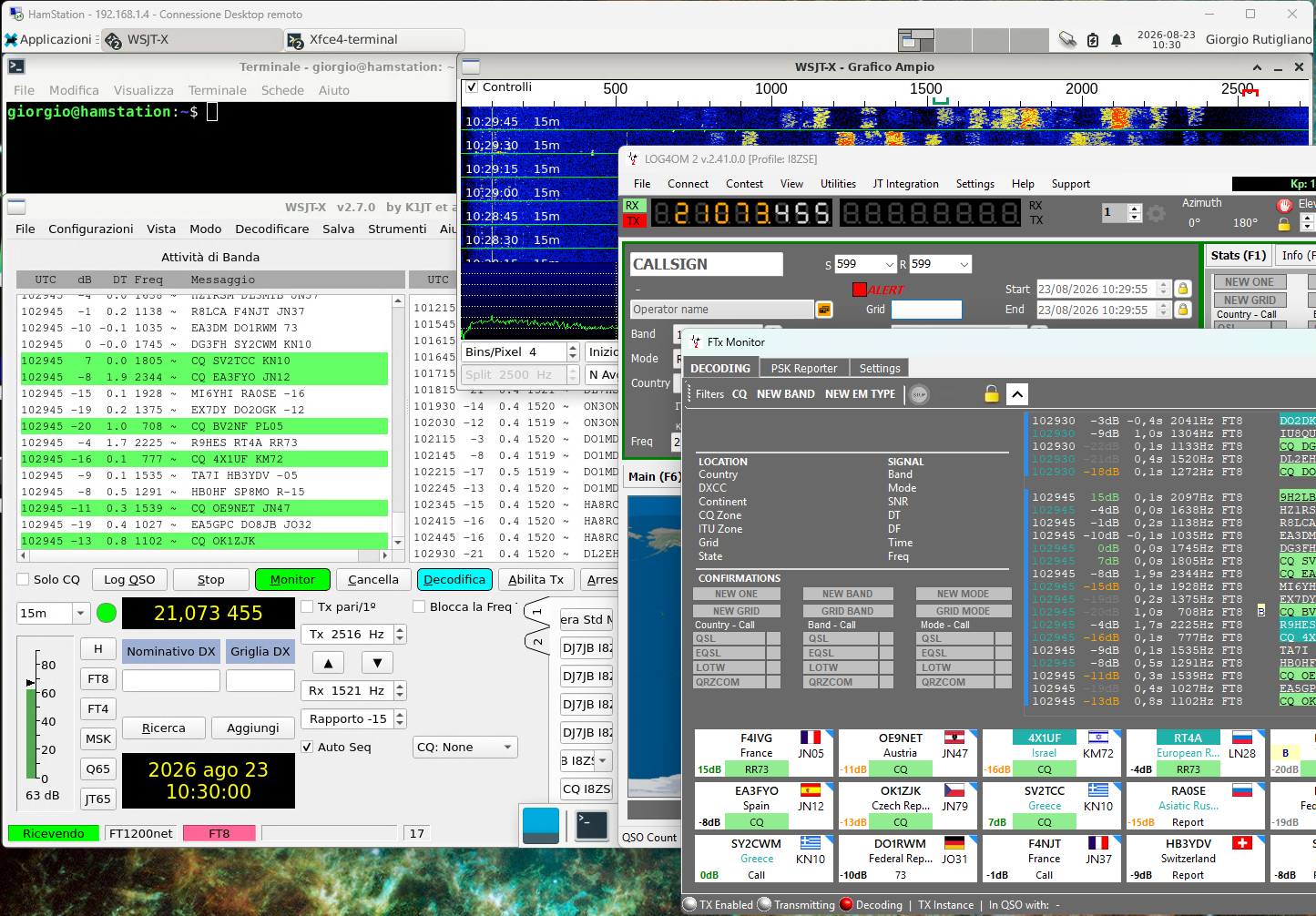
Distributed ham radio station
A modern amateur radio station increasingly looks less like a collection of independent pieces of equipment and more like a small computer system. The radio naturally remains at the heart of the station, but around it revolve logging software, digital-mode applications, DX clusters, antenna control tools, SDRs, remote-control applications and, increasingly, services running on different machines.
The problem arises when all these applications need to talk to the same radio.
Once upon a time, it was enough to connect the radio to a computer and configure the program that was supposed to control it. Today it is quite common to have a logger that needs to know the frequency, operating mode and signal level, a digital-mode application that needs to read and set the VFO, a cluster application that needs to know where we are tuned, and perhaps another program that takes care of rotor control. But radios are not designed to be used simultaneously by all these programs.
One radio, one port, one master
The CAT connection of modern radios generally uses either a physical serial port or a USB port which, from the operating system’s point of view, behaves in much the same way as a serial port.
And this is where the first limitation appears: a serial port is normally opened exclusively. If WSJT-X opens /dev/ttyUSB0 (or COM1), a second program cannot simply open the same port and start listening to it. Even when the device and driver allow some form of sharing, we still have not solved the logical problem: two programs could try to change the frequency, mode, VFO or PTT at the same time without knowing what the other one is doing.
The traditional model (program -> CAT -> radio) works perfectly only when there is one and only one program.
But a real station today looks much more like this:
Logger ------> |
WSJT-X ------> |
DX-Cluster --> | -> CAT -> Radio
FLDIGI ------> |
SSTV --------> |
The question, therefore, is no longer simply how to connect a program to the radio, but rather: how can we turn the CAT connection to the radio into a shared resource?
The answer is to introduce an intermediate layer, which we can call a HUB.
Logger ------> |   |
WSJT-X ------> | H |
DX-Cluster --> | U | -> CAT -> Radio
FLDIGI ------> | B |
SSTV --------> |   |
The hub becomes the only component that actually owns the connection to the radio. The other applications no longer access the serial port directly: they talk to the hub. This simple change completely alters the architecture of the station.
Two different ways of building the hub
In amateur radio software, both GNU/Linux and Windows offer several solutions for implementing this intermediate layer, but two of the most interesting are flrig and Hamlib/rigctld. They are not, however, equivalent implementations of the same concept.
Flrig was created as a radio-control application that provides various client programs with an XML-RPC interface (a method that allows two programs to exchange data). In this model, flrig maintains the connection to the radio and acts as a server for the applications that want to use it. The idea originated within the ecosystem of software developed by W1HKJ.
The model is therefore:
Application1 -(XML-RPC)-> |
Application2 -(XML-RPC)-> | -> flrig -> CAT -> Radio
Application3 -(XML-RPC)-> |
It is a simple and very effective solution when the applications that make up the station directly support the flrig interface.
The Hamlib model is instead built around a more general idea: providing applications with a uniform interface capable of controlling a very large number of radios. Hamlib is primarily a library made available to different software applications. It also has an associated application, rigctld, which acts as a bridge between the local radio equipment and Hamlib-compatible applications, which can exchange data over the network.
In this case the model becomes:
application -> network -> rigctld -> CAT -> radio
The difference may seem subtle, but from an architectural point of view it is important: with flrig we have an application that exposes its own XML-RPC interface, while with rigctld we have a network service based on the Hamlib NET protocol; and it is precisely the standardized nature of Hamlib that makes this approach usable by a much larger number of programs.
Where flrig and Hamlib meet
The two worlds, however, are not completely separate: Hamlib can talk to flrig using model #4, which allows an application using Hamlib to use flrig as a radio device, with a configuration such as this:
application1 -> network -> rigctld -> | -> flrig -> CAT -> radio
application2 -(XML-RPC) ------------> |
In other words, Hamlib can use flrig as a backend, but the reverse relationship does not apply: we cannot take rigctld and configure it as a NET client towards flrig, because flrig does not expose a Hamlib NET rigctl server to which rigctld can connect.
This distinction is fundamental when designing more complex architectures, because the fact that two components are both capable of controlling a radio does not mean that they are interchangeable as client and server.
The computer is no longer the center of the station
The real leap forward comes when the connection between the application and the CAT service is no longer necessarily local: if rigctld listens on a TCP port accessible from the local network, the program using it no longer needs to be running on the same machine to which the radio is connected. This makes it possible to distribute the station across multiple devices, while applications continue to see the radio as a single CAT resource.
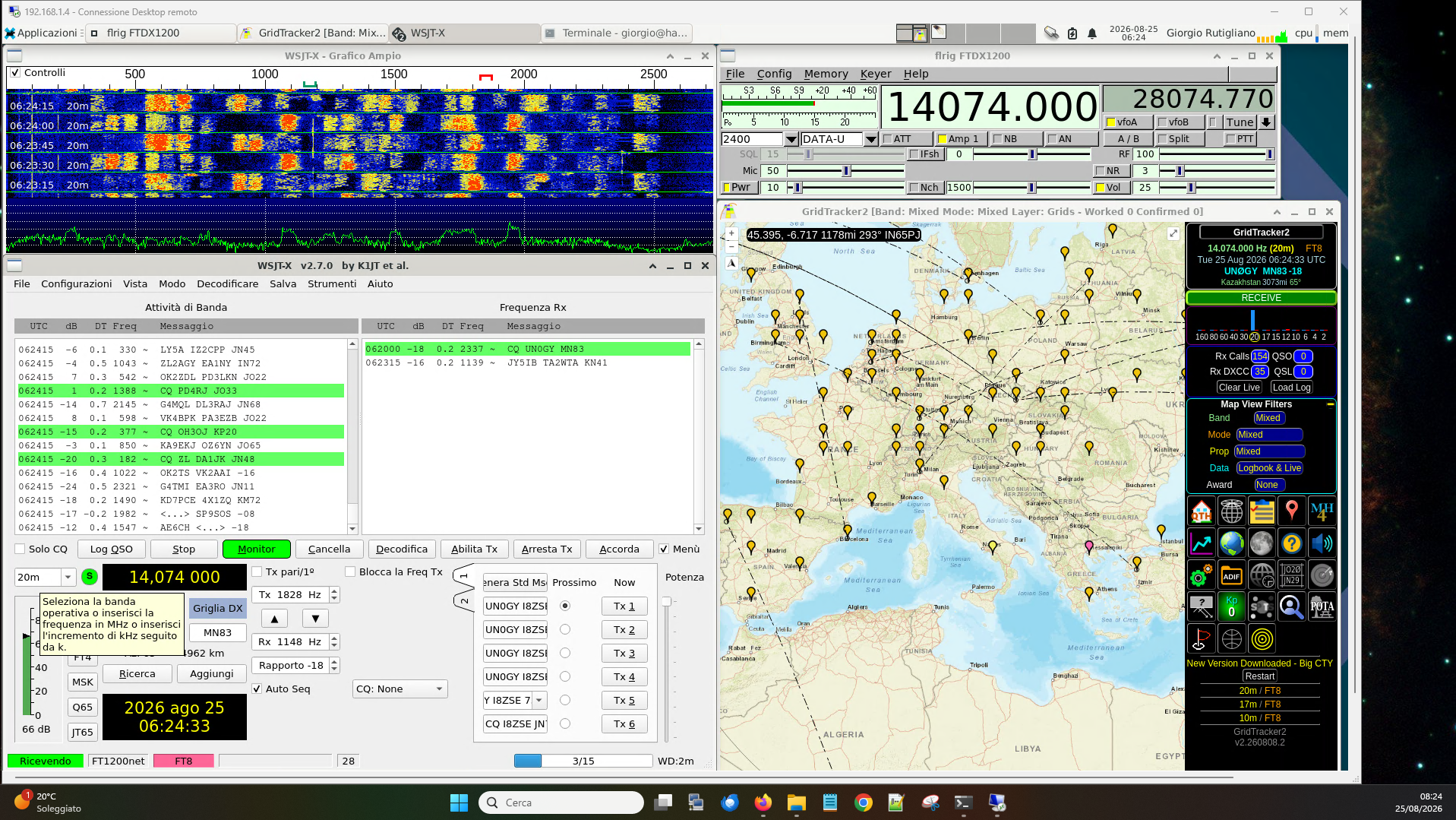
This is particularly useful for modern technologies such as FT8: during a contact it is easy to have several applications open at the same time, many of them quite demanding from a graphical point of view: logger, WSJT-X, PSK Reporter, DX cluster, GridTracker. Instead of concentrating everything on a single PC, it can be more convenient and efficient to keep CAT control and WSJT-X on the device connected to the radio, while running the graphical applications – which often benefit from multiple monitors – on another PC in the shack.
There is no need for every application to know where the radio is physically located: it only needs to know the address of the CAT service.
This is an important consequence of introducing a network layer: the physical connection is separated from the application using it. It is therefore useful to consider CAT sharing as an infrastructure that can be used to build a distributed station.
A practical example
Once the model is understood, it is interesting to see it applied to a real-world situation.
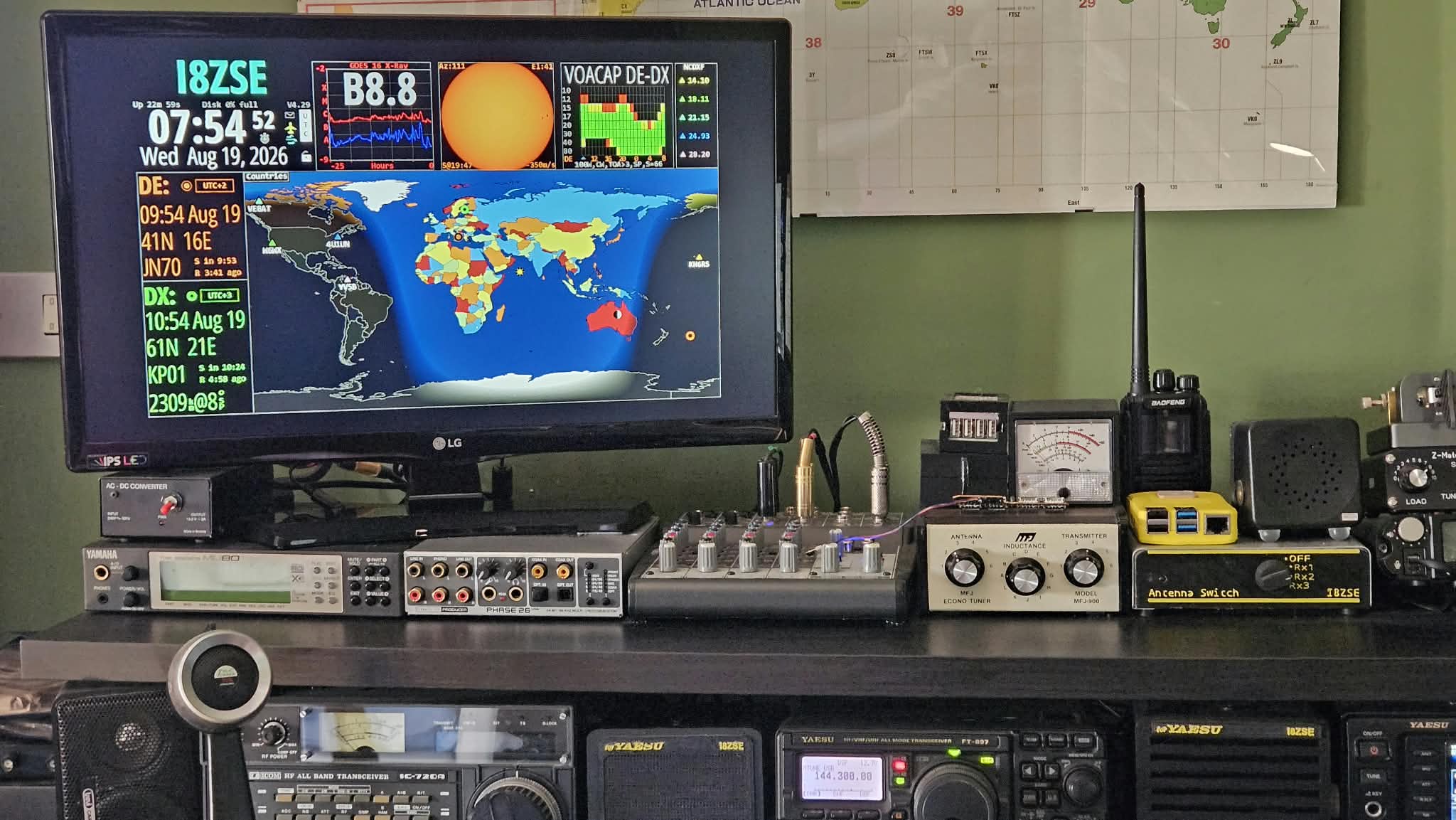
In my shack I have two main radios: an FT897D for VHF/UHF and an FTdx1200 for HF, both interfaced to a ThinkCentre M91, a Small Form Factor PC that is more than twenty years old (I wrote about it here).
With Linux it has more than enough performance to run both the main application (WSJT-X, Fldigi or whatever else I need) and the supporting applications (logger, PSK Reporter, GridTracker, etc.), but one limitation is the single display: to have all the software useful during a digital contact readily accessible, it is useful to have at least two monitors.
Rather than adding a second monitor to the station controller, I chose to move the supporting applications to another PC that I already have in the shack, which is equipped with multiple displays.
To interconnect the various applications I use rigctld, which I launch with different configurations depending on what I need. For example:
rigctld -m 1034 -r /dev/radio1200 -p CAT -s 38400 --port 4532
is the configuration I use for the FTdx-1200.
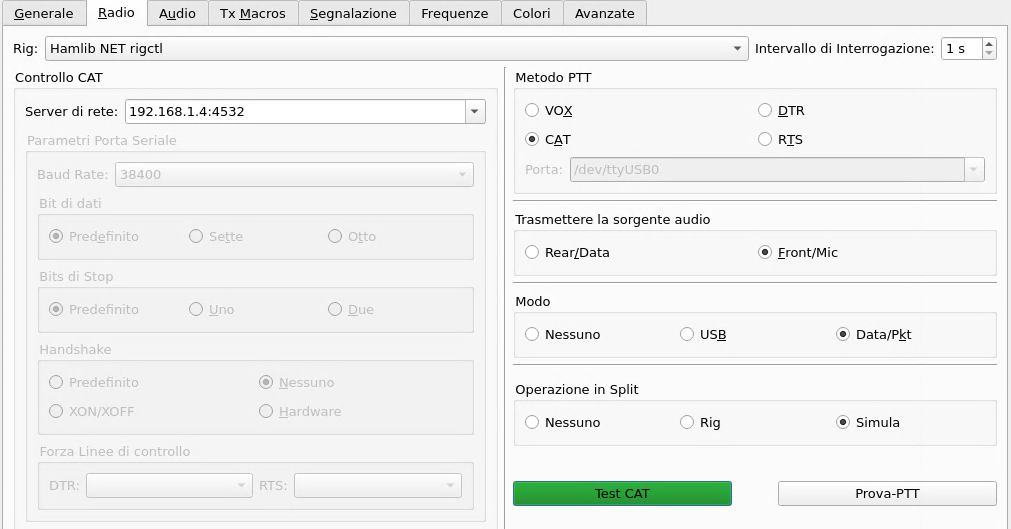
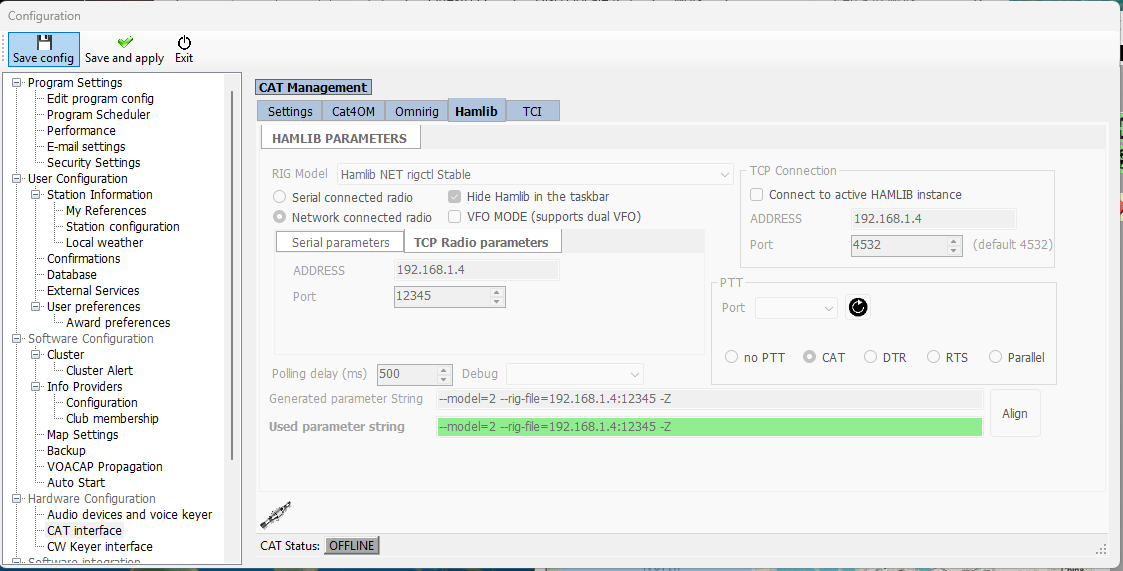
WSJT-X is configured to use Hamlib over the network: the Server field can be left empty if rigctld is running locally; otherwise, it is enough to enter the IP address and port number, 4532 in the example above.
To complete the integration, it is also necessary to share the data produced by WSJT-X via UDP. The configuration is as follows:
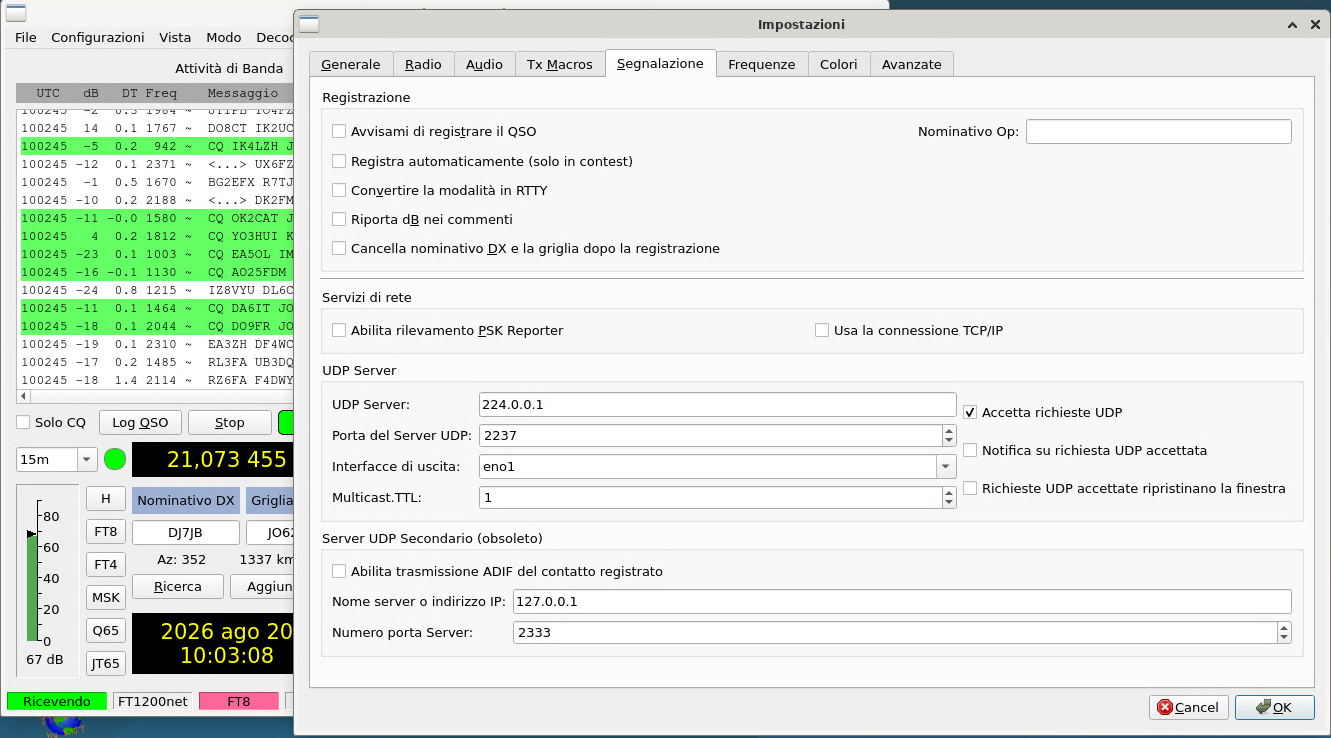
Checking Accept UDP requests allows the supporting applications to communicate in both directions, enabling a higher level of integration: for example, it is possible to update the DX callsign field in WSJT-X by clicking on one of the callsigns in the GridTracker roster.
In my configuration, GridTracker and Log4OM run on the second PC, which, as mentioned, has two monitors.
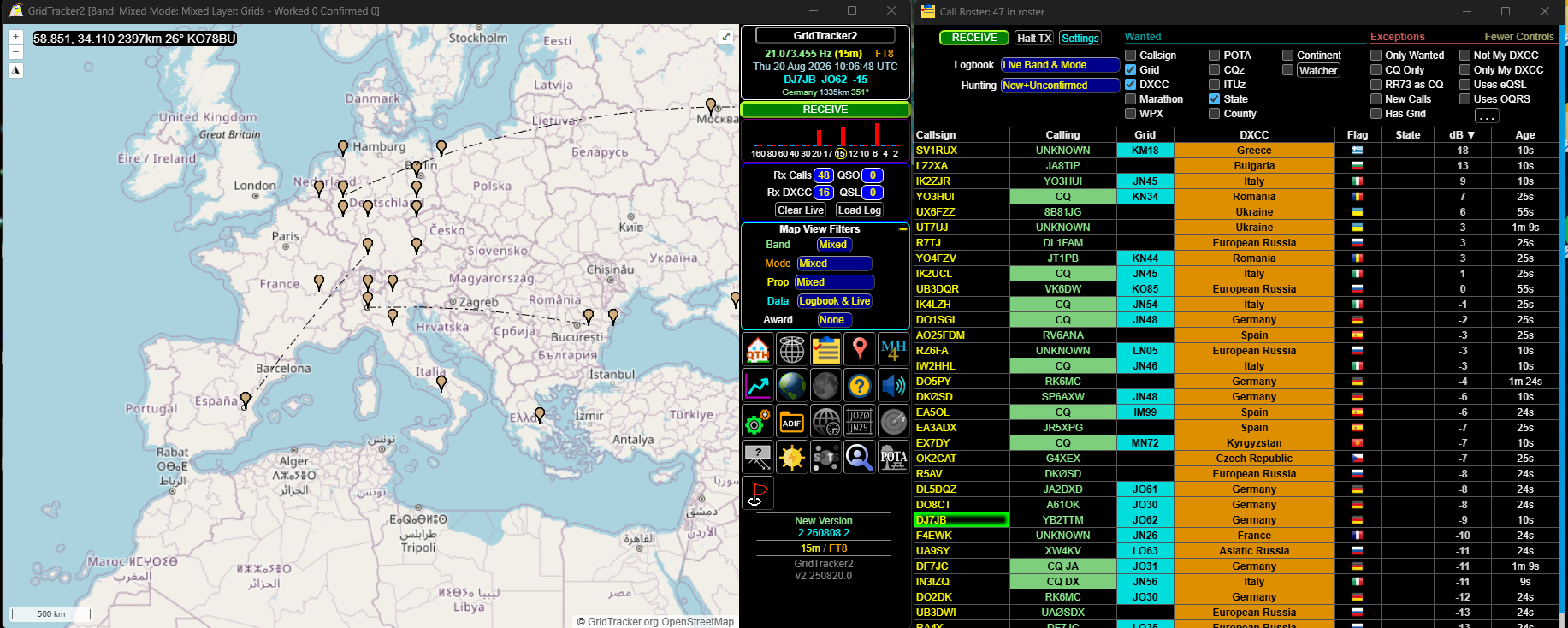
In GridTracker, it is necessary to enter the multicast address (in my case 224.0.0.1, port 2237) that we previously configured in WSJT-X.
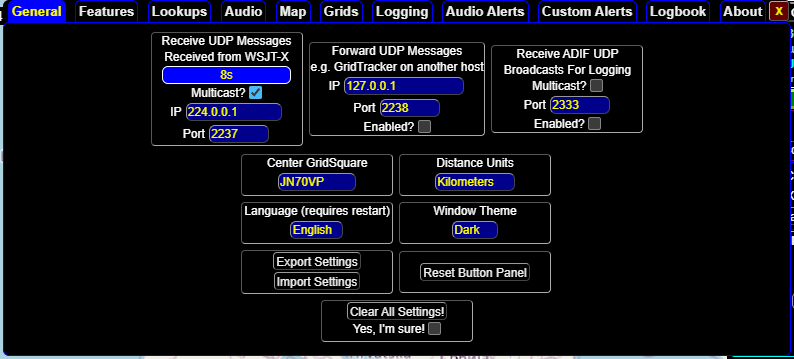
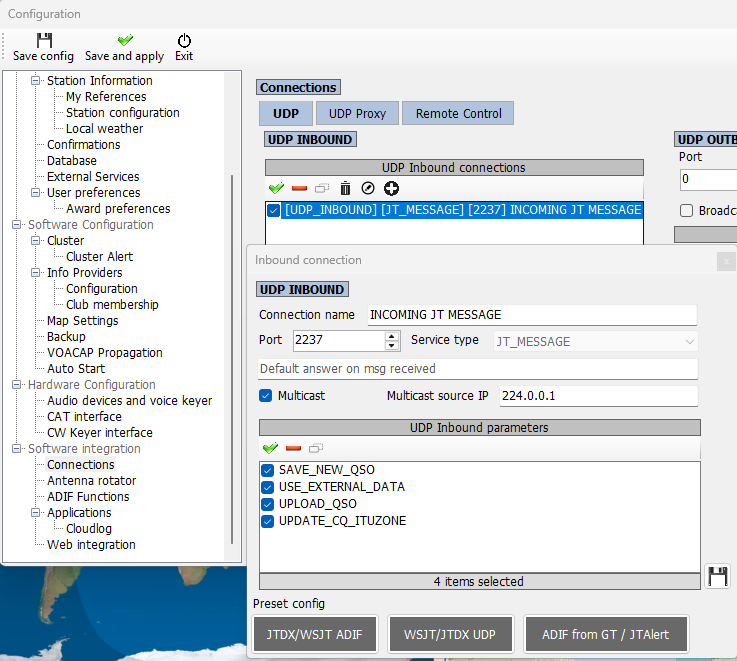
The same configuration must be made in Log4OM under Software integration/connections:
while CAT is configured under Hardware/CAT:
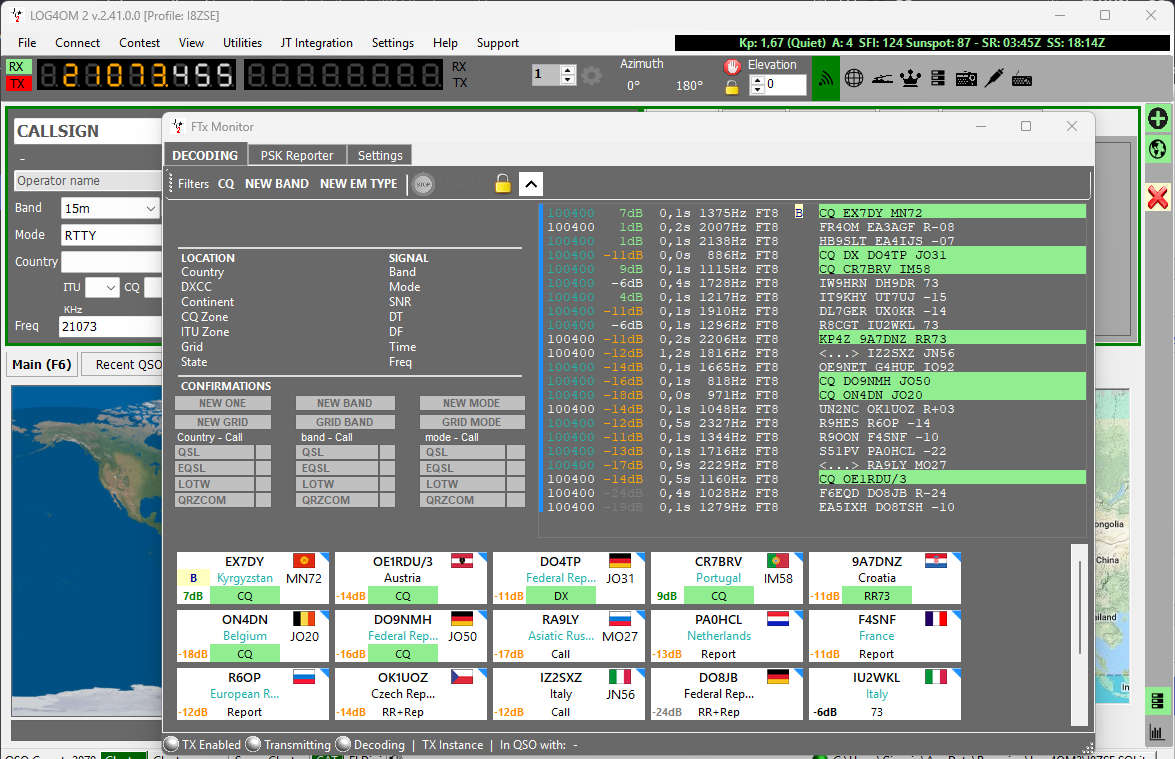
Once the parameters have been configured, it is possible to use both remote CAT control and FT8 integration.
The idea is to separate the functions as much as possible: the computer dedicated to the radio side can take care of the physical connection to the equipment and provide the CAT service. The applications can instead be distributed as needed, without each one having to know the details of the serial port used by the radio.
The advantage is not only that it becomes possible to run more programs: it is that none of these programs needs to control the radio directly. The radio becomes a service, and that is a significant conceptual difference compared with the traditional configuration.
In a station with multiple radios, as in my case, we can take this one step further: if the radios are not used simultaneously, there is no need to keep a separate instance of rigctld running for each one. It is enough to start the one associated with the radio we want to use:
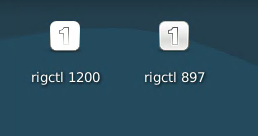
The other applications do not need to know which radio is currently active: they know that the data arrives through the multicast channel, so it is possible to switch from one radio to another in just a few moments without changing any other configuration.
This makes it possible to build an infrastructure in which the choice of the physical radio becomes an internal matter of the system, while from the point of view of the client programs the station continues to provide a consistent CAT interface.
The radio as a service
The most important change, in the end, is not technological but conceptual: we have moved from the concept of one radio, one program to an ecosystem in which one or more radios interact with multiple applications in a simple and reliable way, while the computer to which the radio is physically connected no longer necessarily has to be the computer from which the radio is actually used.
All of this works very well as long as we remain within our local network. But what happens if we want to move the control outside the network, over the Internet?
In that case we are no longer talking about a distributed station, but about a remote station, and the transition is less immediate and straightforward than it might appear.
I will discuss that in the next post.
Share this content:
Post Comment