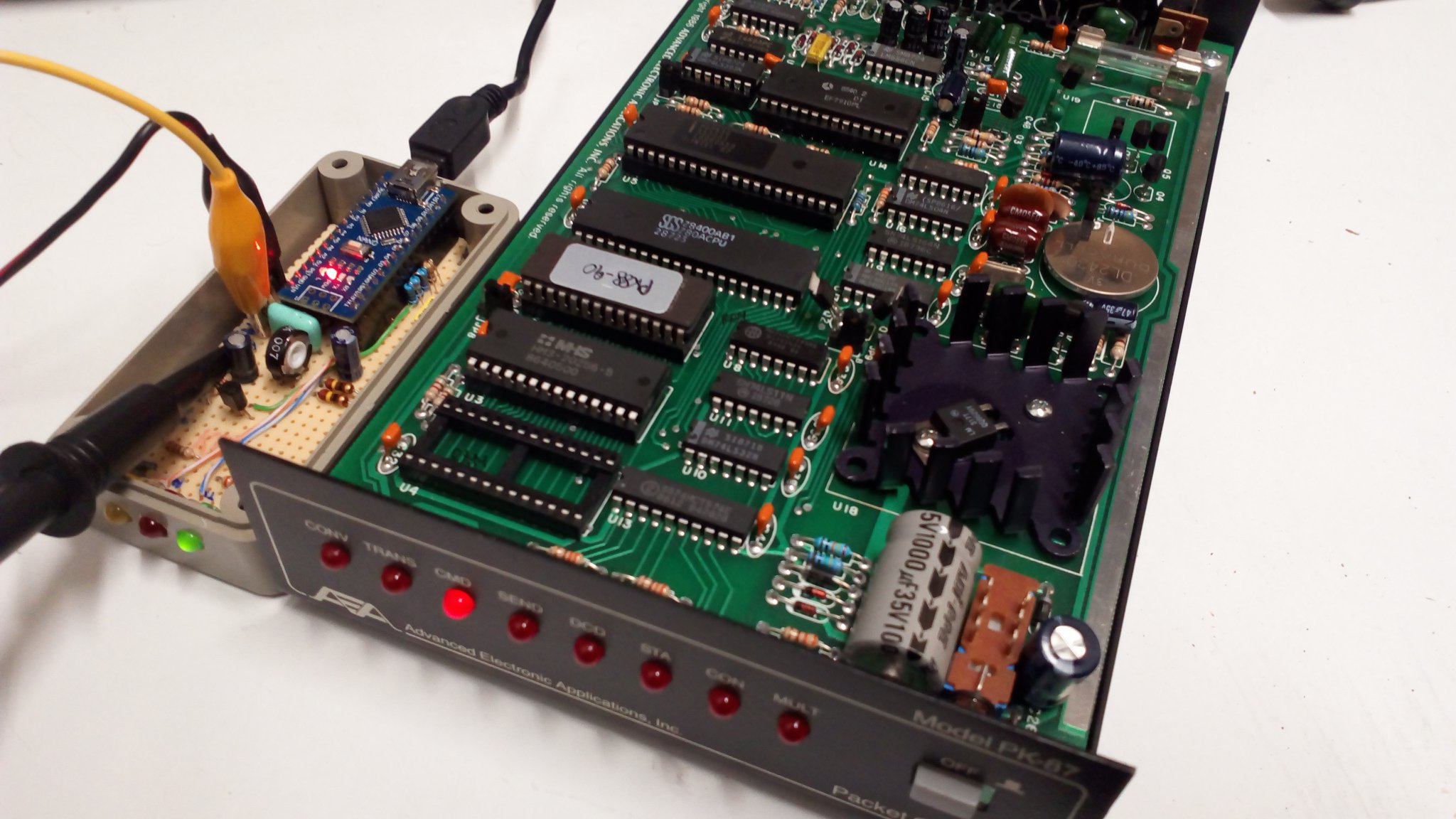
Packet Introduction
In the world of packet radio, truly understanding how a TNC is operated starts from a fundamental distinction: terminal mode and KISS mode. This choice completely changes how you interact with the AX.25 network.
In terminal mode, the TNC is an “intelligent” device: it directly handles the AX.25 protocol, connections, retries, acknowledgments, and provides the operator with a command-line interface very similar to a Hayes modem. In this mode, you speak directly to the TNC, issuing textual commands and receiving real-time responses.
In KISS mode (Keep It Simple, Stupid), the TNC is reduced to the bare minimum: it only handles the physical layer—modulation/demodulation, PTT control, timing, and channel access (CSMA)—while all AX.25 logic is delegated to software running on the computer (such as an APRS client or network stack). In practice:
- Terminal mode = logic inside the TNC
- KISS mode = logic inside the computer
If you really want to understand “classic” packet, you need to go through terminal mode.
The TNC Prompt
Once the TNC is powered on in terminal mode, you are presented with a prompt (typically cmd:). This is where the core commands begin.
The first is setting your callsign:
MYCALL I8ZSE-1
This defines your identity in the AX.25 network, optionally with an SSID (e.g. -1, -9, -15). The SSID allows multiple stations or applications to share the same base callsign.
UNPROTO: first, make yourself heard
Before attempting any connection, proper operating practice requires you to make yourself visible on the frequency—just like calling CQ in voice before looking for a direct QSO.
You configure the path and destination for unconnected messages (UI frames / broadcast):
UNPROTO CQ VIA WIDE1-1,WIDE2-1
Or, if you are operating in an APRS context:
UNPROTO APRS VIA WIDE1-1,WIDE2-1
The WIDE1-1,WIDE2-1 path is the modern APRS standard: the first hop is handled by local low-level digipeaters (typically fixed stations covering shadowed areas), the second by higher-coverage main digipeaters. Each number indicates the maximum number of repeats allowed at that level.
Then you enable monitoring to listen before transmitting:
MON ON
This displays all received packets—essential to understand who is active and whether the channel is free. Only after checking traffic conditions does it make sense to transmit.
Now you switch to converse mode and send your broadcast call:
CONV
CQ CQ de I8ZSE, anyone listening?
The TNC sends a UI packet on the frequency. No response is guaranteed or expected—it is a pure broadcast, exactly like a CQ call. This mechanism is also used for:
- APRS beacons (position, telemetry)
- general announcements and identification
- unconnected messaging networks
From call to connection
If someone responds to your UNPROTO—or if you already know a station is active (for example a BBS node or gateway)—you can move to a connected session.
Packet radio supports a connection-oriented mode, very similar to a TCP session: reliable, bidirectional, with frame numbering and automatic retransmissions.
To connect to a station:
C I8ZSE
If the connection succeeds, you will see something like:
*** CONNECTED to I8ZSE
From that moment you are in a point-to-point session: everything you type is sent as a reliable stream. The TNC automatically handles:
- frame numbering (I-frames)
- retransmissions (retry) in case of missing ACK
- acknowledgments (ACK/REJ)
You can also connect through intermediate nodes:
C I8ZSE VIA IR8NODE
This is the basis of packet networking via nodes: each intermediate node relays the session toward the final destination, enabling communication beyond direct radio range.
To gracefully close the connection:
D
Or force it without waiting for remote acknowledgment:
DISCONNECT
⚙️ Essential operational commands
Some basic commands that define TNC behavior:
MON ON– Enables packet monitoring (essential to see what is happening on frequency)MCON ON– Also shows packets during an active connectionMRPT ON– Displays digipeaters traversed by each packetBEACON EVERY 600– Automatically sends a beacon every 600 seconds (10 minutes)BTEXT text– Defines beacon contentPACLEN 128– Maximum packet size in bytesRETRY 10– Maximum number of retransmissions in case of missing ACK
These parameters directly affect reliability and channel occupancy.
? Real operational difference
The difference between connection-oriented mode and UNPROTO is not only technical—it is philosophical, corresponding to two distinct phases of operation:
- UNPROTO → first phase: I make myself heard, announce my presence, listen to the channel. Free transmission, unreliable, broadcast. Typical of APRS, beacons, digital CQ calls.
- Connection (C …) → second phase: I have found a correspondent and want structured communication. Reliable, bidirectional, ordered session. Typical of BBS, chat, node and gateway access.
In practice, UNPROTO is almost always used first to probe the frequency, and only then is a connection established—just like in any proper QSO.
? What to observe in practice
When operating in real conditions, you will notice that:
- a connection generates continuous traffic of small packets (including ACKs), even when no user data is sent
- UNPROTO generates single bursts with no reply—zero overhead
- the channel can easily become congested if paths are too long or beacons too frequent
For this reason, operational discipline is essential in packet radio: every packet occupies shared spectrum.
? Conclusion
Using a TNC consciously means understanding where intelligence resides (TNC or PC), how UNPROTO is used to make yourself heard before attempting a connection, and when and how to establish an AX.25 connected session.
This is where digital amateur radio becomes a network: no longer just transmitting, but managing structured communication over a shared and noisy medium, with tools that anticipate concepts now taken for granted in modern networking.
Share this content:
Post Comment