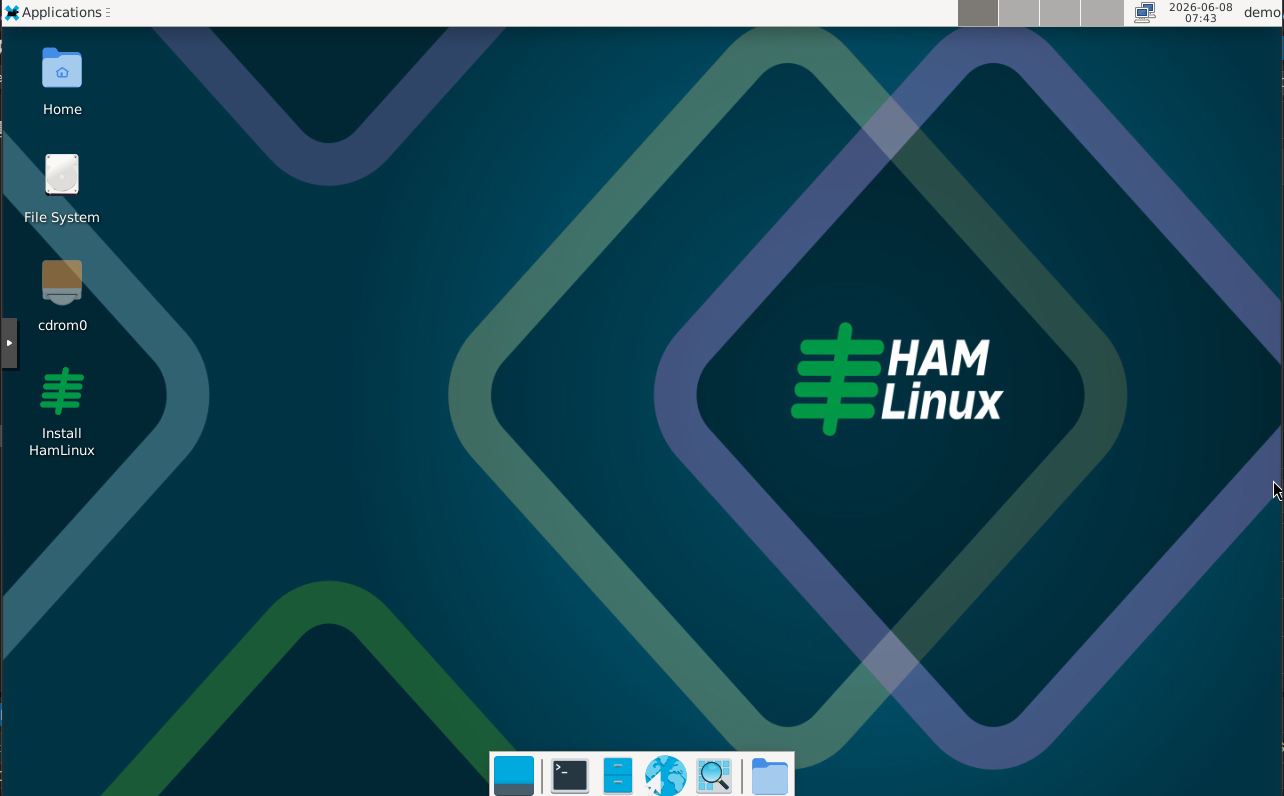
Hamlinux is a Linux image designed specifically for practical amateur radio operations, optimized for portable use, emergency communications, and remote access to radio stations. It was born from real-world operating experience, with the goal of providing a consistent, easy-to-use, and immediately operational environment on both Raspberry Pi and traditional x64 systems.
The predecessor of Hamlinux was created several years ago because I needed a specific setup for portable digital operations and, by extension, emergency communications. In practice, the same solutions developed for these scenarios proved equally useful in more traditional home-station environments. I therefore decided to unify the installations into a single ecosystem, providing a consistent user experience regardless of the operating scenario.
Key Features
- Simplified installation
- Native headless operation on Raspberry Pi
- Remote desktop access via RDP
- Automatic Wi-Fi hotspot
- USB smartphone tethering support
- GPS and NTP time synchronization
- Simplified application management
- Optimized for portable and emergency operation
Simplified Installation
One of the aspects that often intimidates newcomers to Linux is the installation process, which is frequently perceived as complex. With Hamlinux, I have tried to make installation as straightforward as possible: very few decisions, all clearly explained, and within just a few minutes the system is ready to use.
Headless Operation
In portable operation, one of the main challenges is managing a display and keyboard. Compared to a computing unit no larger than a power bank, traditional solutions are often bulky and impractical. For this reason, I chose a completely headless approach, meaning operation without a dedicated monitor or keyboard.
The Raspberry Pi version of Hamlinux automatically detects the absence of a keyboard during boot and enables headless mode without requiring any user intervention.
Remote Access
For portable operation, I find a tablet to be the ideal graphical terminal: lightweight, compact, touchscreen-based, energy efficient, and easily powered from a 12 V source. In a fixed station, where portability constraints do not apply, being able to access the radio station controller’s desktop remotely over the network is equally convenient.
Both versions include all the services required for remote access. The protocol used is RDP, which is supported by virtually all modern operating systems.
This approach eliminates the need for dedicated display hardware, reduces the load on the primary power source, and allows even very compact systems to be used comfortably. RDP clients also provide considerable flexibility in screen management.
It is even possible to use very old devices: for example, I still successfully use a 2010 Galaxy Tab GT-P1000 running Android 3 with the aRDP Free client.
Naturally, when paired with a larger, more capable tablet and an external Bluetooth keyboard, the user experience becomes comparable to that of a traditional laptop.
Integrated Wi-Fi Hotspot
When the system boots in headless mode, Hamlinux automatically enables a local Wi-Fi hotspot and starts the services required for remote access.
The hotspot uses HAMLINUX as the default SSID, while the password is the same as the one configured for the primary user account during installation.
If the Raspberry Pi is connected to a wired network with Internet access, or to a smartphone providing USB tethering, Hamlinux automatically operates as a router, allowing all devices connected to the hotspot to access the network.
Since the system is designed to operate without a display, the Raspberry Pi’s green ACTIVITY LED is used to indicate boot completion and operational status.
Two short flashes followed by a one-second pause indicate that the hotspot and remote services are active. A regular flash every half second indicates normal operation with no hotspot enabled.
The x64 version does not provide automatic headless mode, but remote services can be enabled or disabled through a dedicated menu option.
Clock and Time Synchronization
Modern weak-signal digital modes such as FT8, WSPR, JT65, and similar protocols require an extremely accurate time reference. An offset of even a single second can completely prevent signal decoding.
Older Raspberry Pi models do not include a hardware Real-Time Clock (RTC) and rely on the network to obtain the correct time. Although both Raspberry Pi 5 and conventional PCs include quartz-based RTCs, these clocks drift over time and do not provide the accuracy required by weak-signal modes.
For the Raspberry Pi version, designed primarily for portable operation, I therefore integrated a GPS receiver to make the system completely autonomous while maintaining high accuracy. The GPS is used both to determine geographical position and as a time reference source.
Both versions implement a synchronization subsystem based on the Network Time Protocol (NTP), the standard mechanism used by operating systems to maintain accurate time.
More information is available here.
Application Management
Since every operator has different needs and preferences, instead of filling the image with every available amateur radio application, I chose a different approach.
I developed a small utility that allows even users unfamiliar with Linux to easily manage installed applications through a convenient graphical interface, while also keeping the system updated with the latest versions available from the operating system repositories.
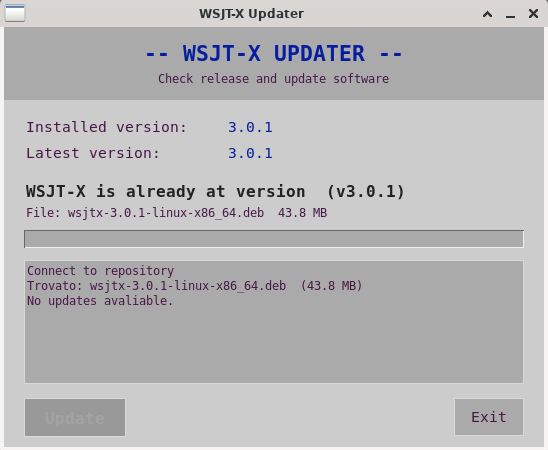
An exception is WSJT-X. Since this software has profoundly changed amateur radio and frequently introduces new features, repository update cycles are often too slow. WSJT-X therefore needs to be updated directly from the official release channels.
To solve this, I wrote a small utility that checks the official GitHub repository for updates and installs them with a single click. It can be found under the System → WSJT-X Updater menu.
More information is available here.
USB Tethering
As mentioned earlier, the Raspberry Pi version is designed to automatically manage USB tethering through compatible smartphones. When such a connection is detected, the system automatically configures itself as a router and allows all devices connected to the HAMLINUX hotspot to share Internet access.
Download
Download Hamlinux 3.0.0
This software is provided “as is”, without any warranty of any kind, either express or implied. Installation, configuration, and use are performed entirely at the user’s own risk and responsibility. The author shall not be held liable for any direct, indirect, incidental, or consequential damages arising from the use of this software.
Updated June 2026.
Raspberry Pi Download:

PC Download:
